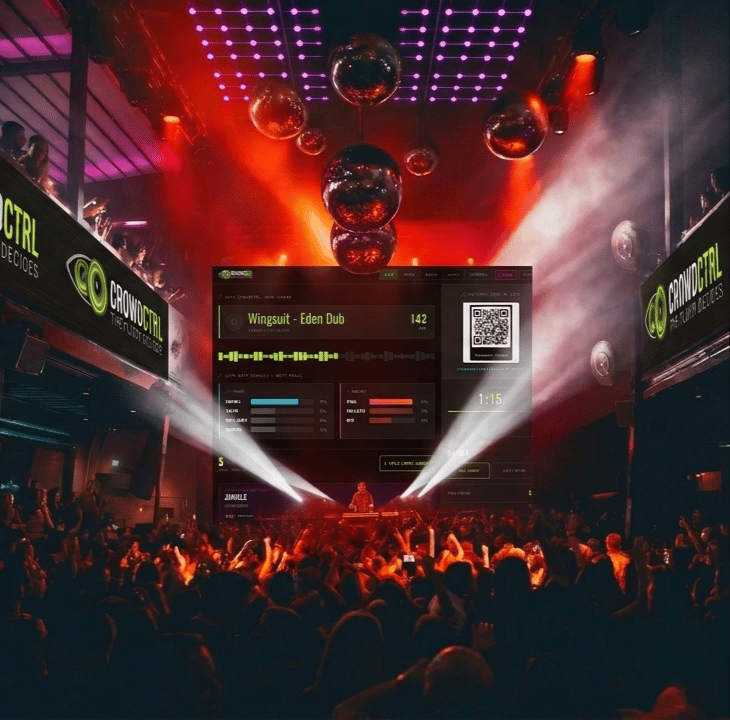
Welcome to the CROWDCTRL pilot. This guide covers how to set up, how to earn from the platform, and how to get support during the pilot phase. Your feedback shapes what this product becomes.
// WHAT IT DOES
CROWDCTRL IN 60 SECONDS
More than a tip tool — CROWDCTRL is a live crowd engagement layer for your sets. Here's what you actually have access to.
// 01 — GENRE VOTING
LIVE ROUND VOTES
Audience votes on genre and energy level in real time. You set the ballot, open the round, and watch results update live in your dashboard. Use it to read the room without guessing — or to build tension before you drop the set they just voted for.
// 02 — SONG REQUESTS
REQUEST INBOX
Audience submits track requests directly from the vote card. They land in your dashboard inbox, sorted by time. Dismiss or mark as played. Optional donation gate — requests require a tip before they submit. Keeps the inbox signal-to-noise clean.
// 03 — CROWD MESSAGES
LIVE MESSAGES
Open text messages from the floor — shoutouts, vibes, questions. Toggle on or off per event. Show up in the same inbox alongside requests. Not moderated, so use the toggle if a crowd gets rowdy. Can be disabled entirely from Config.
// 04 — LIVE THEMES
PUSH STYLE
Change the visual theme and font on every audience vote card instantly from your dashboard. Dark rave, neon club, cyber, fire, minimal — push a new look mid-set to match your energy shift. Audience sees it update on their screen in real time.
// 05 — COUNTDOWN
ROUND TIMER
Configurable countdown syncs from your dashboard to every audience screen. Builds anticipation between rounds. Set 1, 2, or 3 minute windows. Audience sees the live countdown on their voted screen — creates a shared sense of timing with the floor.
// 06 — QR ACCESS
ZERO FRICTION
Audience scans a QR code — no app download, no login, no account. Vote card loads instantly in any mobile browser. They're anonymous, sessions are temporary, and nothing personal is collected unless they opt in. Works on all devices.
// COMING IN PHASE 2 — BEYOND THE FLOOR
CROWDCTRL is built to go further than genre voting. We have plenty planned in the roadmap to take things to the next level and keep the fires burning bright, including phasing in Twitch integration and more.
Check back for updates and of course hit us up if you want referral codes for those that might be interested.
Cheers CC
// THE FLOOR DECIDES
// INCOME
PUT CROWDCTRL TO WORK $$$ FOR YOU
// KO-FI INTEGRATION
GENERATE TIP INCOME DURING YOUR SETS
If you're open to earning extra income while using CROWDCTRL, adding your Ko-fi link turns every vote into a tip opportunity. After each audience vote, a prominent tip button appears on their screen — one tap sends money directly to you via Ko-fi. CROWDCTRL never touches the funds.
1
CREATE YOUR KO-FI ACCOUNT
Register at ko-fi.com — it's free. Set up your page with your DJ name, photo, and a short bio. Ko-fi handles all payment processing and pays directly to your bank account or PayPal.
2
COPY YOUR KO-FI URL
Your Ko-fi link looks like: https://ko-fi.com/yourdjname Copy it from your Ko-fi dashboard or profile page.
3
PASTE IT INTO YOUR CROWDCTRL DASHBOARD
Open your DJ Dashboard, look in the right sidebar for // KO-FI DONATION LINK and paste your URL. It saves automatically. No need to redeploy anything.
4
TIP BUTTON GOES LIVE ON YOUR VOTE CARD
From your next event, every audience member who votes will see a TIP THE DJ NOW button on their confirmation screen. One tap opens your Ko-fi page. Tips land in your Ko-fi balance and pay out on your schedule.
// IMPORTANT — INDEPENDENCE OF KO-FI INCOME
Ko-fi and all tip donations are completely independent of CROWDCTRL. You manage your Ko-fi account solely and independently. CROWDCTRL does not process, receive, hold, or take any percentage of tip funds. Your Ko-fi income is your own business — please manage it accordingly for tax and accounting purposes.
// FREQUENTLY ASKED QUESTIONS
FAQ
Answers to the most common questions from pilot DJs.
CROWDCTRL DJs collect tips independently via Ko-fi. Once you add your Ko-fi link to the dashboard, a tip button appears on the audience vote card after every vote — audience members can tip you directly with one tap. Every dollar goes straight to your Ko-fi account with no CROWDCTRL commission.
CROWDCTRL's own revenue model is a monthly subscription ($9–$39/month depending on tier) — separate from tips entirely. During the pilot phase your access is free.
Your vote card URL is:
https://crowdctrl.netlify.app/3-vote.html
Display this QR code on any screen at your venue — TV, projector, laptop. Audience members scan it and vote instantly with no app download.
Tips for live events: Print at A4 or larger for readability from across the room. White QR on dark background works best on dark-coloured screens. Test scan from 3–4 metres before doors open.
Go to crowdctrl.netlify.app/2-dj-dashboard.html. You'll see the Exclusive Laneway login screen. Use the email and password you registered with (or were given during onboarding). If you need access, use the SIGN UP tab with your pilot invite code — or submit a request via the feedback form below.
Log in to your dashboard and click CONFIG in the top nav. Enter your DJ name, venue, and vote page URL. In the Genre Ballot section, toggle genres on/off and add custom ones. Hit SAVE CONFIG — changes push to Firebase instantly and appear on the audience vote card within seconds.
Most likely the config hasn't been saved to Firebase yet. In your dashboard: go to CONFIG → check all fields are filled → click SAVE CONFIG. The Firebase status indicator in the sidebar should show LIVE (green dot). If it shows DEMO or an error, your dashboard isn't connected — try refreshing the page and logging in again. If the problem persists, use the feedback form below.
Each round opens when you're ready. In the dashboard Live view, use the countdown timer in the sidebar to time each round (set your preferred vote window in CONFIG). Hit ▶ START to begin — the countdown syncs to the audience vote card in real time. When you're ready to move on, hit NEXT ROUND — this increments the round counter, clears votes, and resets the timer. The crowd can then vote again for the next section of your set.
As a pilot DJ you have free access to CROWDCTRL for the pilot period. In return, we ask for honest feedback — what worked, what broke, what the crowd responded to, and what you'd change. Use the feedback form below after each event. Bug reports via the form are also welcome. You are shaping what this product becomes — your input directly drives what gets built next.
// QUICK REFERENCE
YOUR LIVE EVENT URLS
Bookmark these. Share the Vote Card URL with your audience — display it as a QR at your venue. Keep the Dashboard URL to yourself.
Multiple DJs can run CROWDCTRL simultaneously at different events without interfering with each other. Each DJ sets a short Venue ID in their dashboard config — this namespaces all their data so nothing crosses over.
1. Open your Dashboard → CONFIG tab
2. Set VENUE ID to a short unique slug (e.g. elysium, mattys-50th, dj-leroy)
3. Hit SAVE CONFIG — your vote URL auto-updates to include ?v=your-id
4. Refresh the dashboard page for the new ID to take effect
5. Share the full URL (with ?v=) as your QR code — that's your audience's unique link
// IF NO VENUE ID IS SET, YOUR DATA GOES TO THE SHARED DEFAULT NAMESPACE — FINE FOR SOLO USE, NOT FOR CONCURRENT
// PILOT COMMUNITY
JOIN THE WHATSAPP GROUP
For quick responses, live set announcements, and real-time support during events. This is the fastest channel to reach us and connect with other pilot DJs.
// CROWDCTRL PILOT GROUP
CROWDCTRL WHATSAPP GROUP
Use the group when:
• You need a quick answer before or during a live set
• You want to announce you’re going live with CROWDCTRL
• You find a bug and want an immediate response
• You want to share a win from the night
// PLEASE NOTE
This group is for pilot DJs only. Keep it constructive — share wins, flag issues, and support each other. For detailed bug reports or feature requests, use the feedback form below so everything is logged properly.
// PILOT SUPPORT
FEEDBACK, BUGS & IDEAS
Use this form for support requests, bug reports, feature suggestions, and anything else. Every submission is read — nothing goes in a black hole.
// SUBMISSION RECEIVED — THANK YOU.
We read every submission. Bugs and support requests typically get a response within 24 hours. Feature suggestions are tracked and reviewed at the end of each pilot sprint.
// PLATFORM PLANS
AFTER YOUR PILOT — CHOOSE YOUR TIER
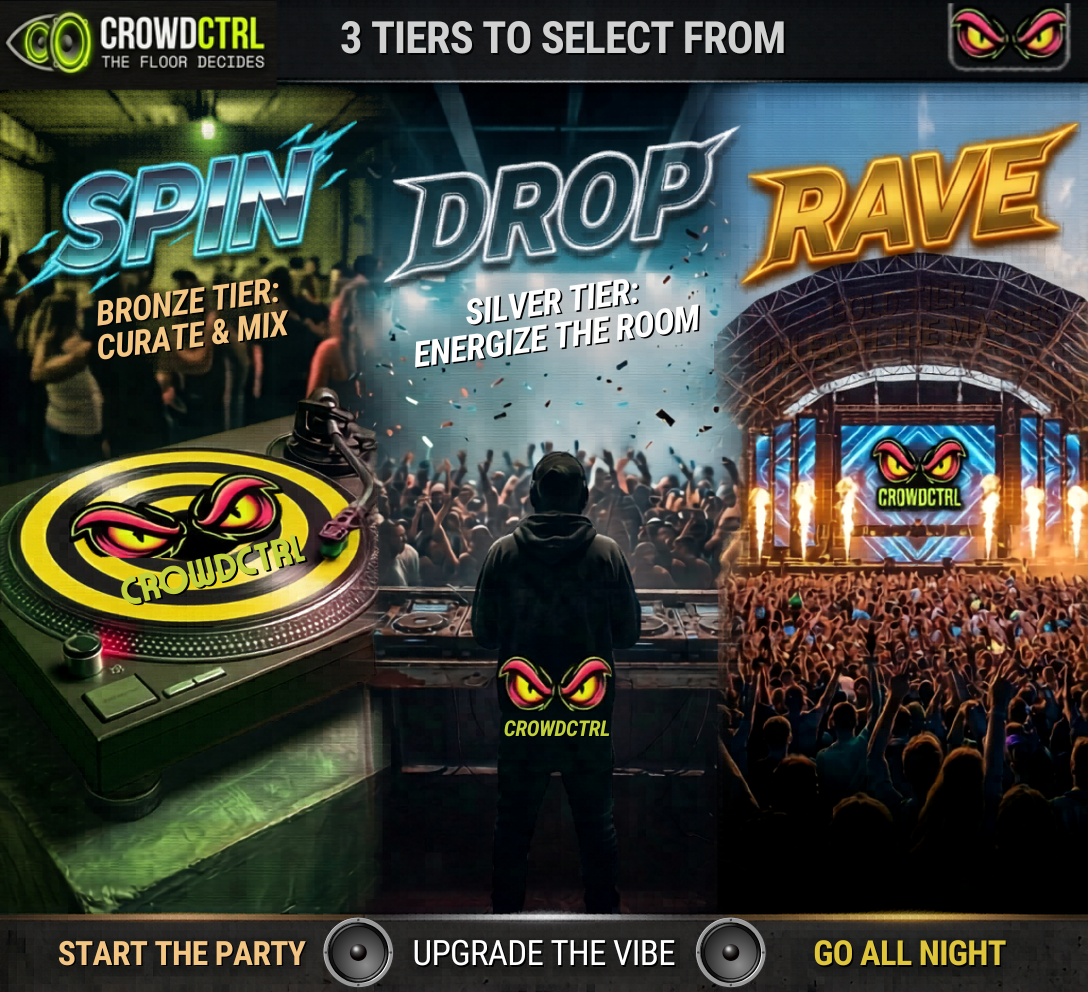
Your pilot access is free. When the pilot period ends, pick the plan that matches your setup. All tiers include the core CrowdCTRL platform — vote cards, real-time results, and audience inbox.
SPIN
BRONZE TIER
Core voting, genre control, real-time results. For DJs getting started with crowd engagement.
DROP
SILVER TIER
Everything in SPIN plus song requests, audience messages, inbox management, and Ko-fi tips.
RAVE
GOLD TIER
Full platform access. Custom themes, priority support, and every feature as the platform grows.